
Published by PlasmaX, the organization behind the PlasmaX web app, maintaining this site since 2023. The PlasmaX comparison guidance on this page was last reviewed on under our editorial and fact-checking process. Spotted an error? Request a correction.
PlasmaXs are software applications that let you stream live TV channels through internet protocols — think of them as digital TV remotes for the modern age. The key word here is "player" — these apps don't provide content themselves, they just play whatever streams you feed them.
The top picks for 2026: IPTV Smarters Pro dominates with its clean interface and universal compatibility, while VLC Media Player remains the bulletproof choice for reliability. TiviMate's free tier offers premium features without the price tag.
This guide covers everything you need: the best free players across all devices, legal considerations, setup tutorials, and where to find legitimate content. Here's what most people miss: there's a huge difference between free players and free content — the apps cost nothing, but quality streams usually require subscriptions to legal IPTV services.
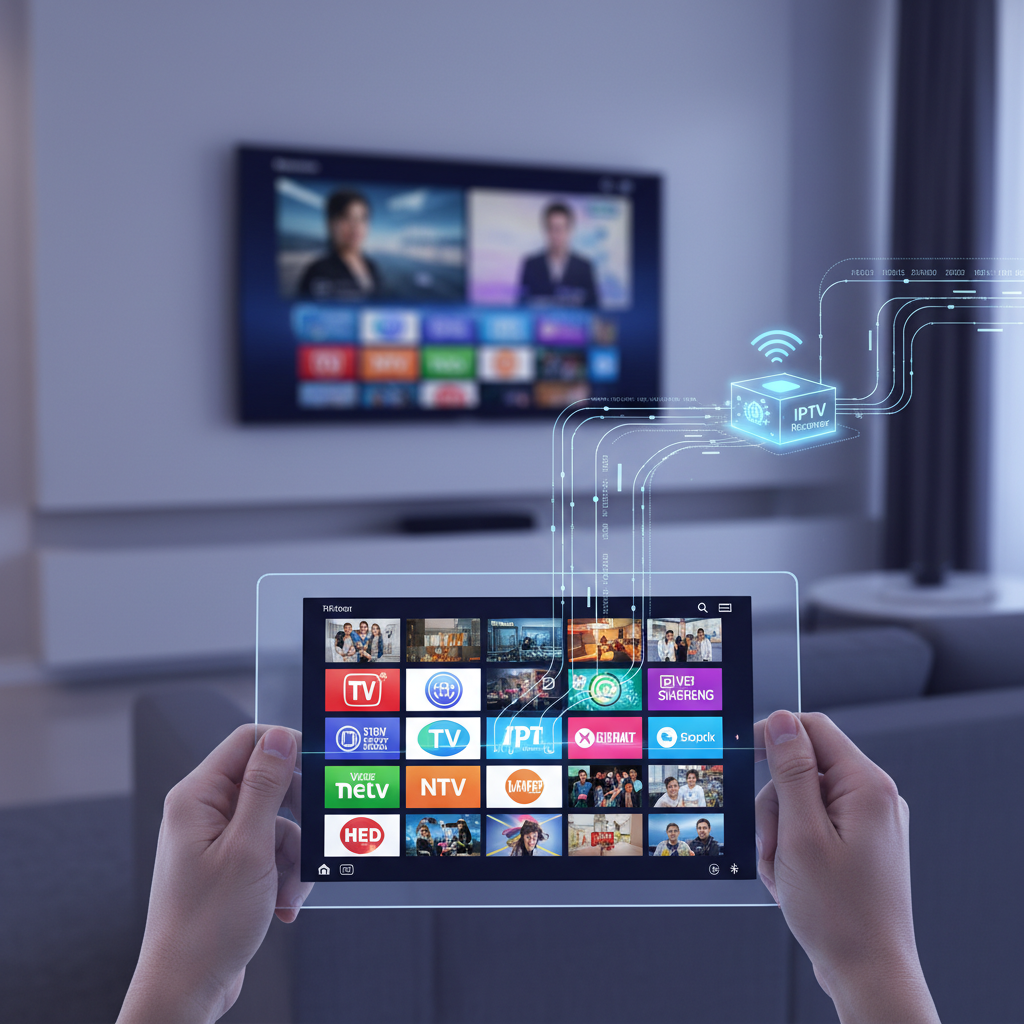
IPTV (Internet Protocol Television) delivers TV content over internet networks instead of traditional cable or satellite. Think Netflix, but for live TV channels — your shows stream through your internet connection rather than a cable box.
An IPTV player is just the software that decodes and displays these streams on your device. It's like having a universal remote that can tune into thousands of channels worldwide, provided you have the right "frequency" (playlist URLs).
Here's the crucial distinction that trips up newcomers: free players don't equal free content. The apps themselves cost nothing to download, but they're empty shells until you add your own playlists. You're essentially downloading a media player, not a streaming service.
Why choose PlasmaXs over paid alternatives? You get device flexibility, customization options, and zero monthly fees for the software. Across app-store listings, developer documentation, and long-standing community feedback, the best free options often match expensive alternatives in features and reliability.
IPTV technology is completely legal in the USA — it's simply a method of delivering television content over internet protocols. The legality depends entirely on whether the content being streamed is properly licensed.
Legitimate IPTV services like Sling TV, YouTube TV, and Hulu + Live TV operate with full broadcasting licenses. These services pay content creators and networks for distribution rights, making them as legal as traditional cable TV.
The gray area emerges with unauthorized streams. Services offering premium channels without proper licensing violate copyright laws, potentially exposing users to legal consequences. Enforcement against illegal IPTV operations continued to expand through 2025 and 2026, including coordinated international actions such as Europol's Operation KRATOS 2 (June 2026), which led to dozens of arrests and the removal of tens of thousands of illicit stream URLs.
The safest approach is to stick to licensed content sources only. Free players work perfectly with legal services — you're not sacrificing functionality by staying legitimate. The risks of pirated streams (malware, poor quality, legal troubles) far outweigh any perceived benefits.
The best PlasmaX depends on your device and priorities — there's no universal winner. Some excel at user interface design, others prioritize compatibility or advanced features like recording capabilities.
Here is a comparison of the top contenders, compiled from each player's documented feature set, platform availability, and app-store listing information:
| Player | M3U Support | EPG | Platforms | Best For |
|---|---|---|---|---|
| IPTV Smarters Pro | ✓ | ✓ | All | Beginners |
| VLC Media Player | ✓ | Basic | All | Reliability |
| TiviMate (Free) | ✓ | ✓ | Android/Fire | Features |
| GSE Smart IPTV | ✓ | ✓ | iOS/Android | Mobile |
IPTV Smarters Pro stands out as the best overall PlasmaX in 2026. Its clean interface keeps setup simple for first-time users, and the app supports both M3U playlists and Xtream Codes API, works across every major platform, and handles EPG integration smoothly. The app supports both M3U playlists and Xtream Codes API, works across every major platform, and handles EPG integration smoothly.
What sets it apart? The app has stayed actively maintained, with the current release line (v1.4.2, September 2026) continuing to ship fixes and features such as catch-up TV support.
VLC remains the Swiss Army knife of media players, and its IPTV capabilities are rock-solid. While it lacks the polish of dedicated IPTV apps, VLC plays virtually any stream format without hiccups. Its format support is broad enough that unsupported playlists are rare in practice.
The trade-off? No fancy EPG or channel management features. VLC is pure functionality — perfect if you prioritize reliability over aesthetics.
TiviMate's free version offers premium-level features that shame many paid competitors. The interface rivals Netflix in polish, and the channel switching speed is lightning-fast on modern Android devices. The free tier supports one playlist with full EPG functionality.
Why isn't it ranked #1? Platform limitations. TiviMate only works on Android and Fire TV devices, leaving iOS and desktop users out in the cold. Check out our TiviMate Firestick install guide for detailed setup instructions.
GSE Smart IPTV excels on mobile devices, offering one of the best touch-optimized interfaces in this category. The app handles both live TV and VOD content seamlessly, with robust parental controls and multiple playlist support in the free version.
The developer's commitment to regular updates keeps GSE competitive — they've maintained consistent performance across iOS updates that broke other players.
XCIPTV packs advanced features typically found in paid apps: recording capabilities, multiple audio tracks, and subtitle support. The player handles 4K streams without stuttering on capable devices.
The learning curve is steeper than other options, but power users appreciate the customization depth.
Kodi transforms any device into a complete media center, with IPTV being just one of its many talents. The PVR Simple Client add-on handles M3U playlists effectively, while the broader Kodi ecosystem offers unlimited customization.
Fair warning: Kodi requires more technical knowledge than dedicated IPTV players, but the payoff is a fully personalized entertainment hub.
Choosing the right IPTV player depends heavily on your streaming device. What works flawlessly on Android might struggle on Roku, while iOS has its own unique restrictions that affect player selection.
TiviMate dominates the Firestick landscape with its Fire TV-optimized interface and remote-friendly navigation. The app launches in under 3 seconds and channel switching feels instant on Fire TV Stick 4K Max devices.
IPTV Smarters Pro ranks second for Firestick users who need broader format support. Both apps sideload easily through the Downloader app, though Amazon's recent policy changes require enabling installation from unknown sources.
XCIPTV deserves mention for advanced users wanting recording features — it can save streams directly to external USB storage connected to your Firestick. Our complete Firestick setup guide covers installation steps for all three players.
GSE Smart IPTV leads the Android mobile category with its touch-optimized interface and picture-in-picture support. The app handles screen rotation smoothly and offers a top-tier mobile viewing experience in this category.
TiviMate runs a close second, especially on Android tablets where its TV-style interface shines. Both apps support Chromecast for easy streaming to larger screens. For detailed mobile optimization tips, check our IPTV smart player guide.
Roku's walled garden approach severely limits IPTV options, but workarounds exist. The M3U Playlist Player ($2.99) is technically paid, but it's the most reliable Roku solution for M3U streams.
Free alternatives require creativity: screen mirroring from mobile devices or using Plex Media Server as an intermediary. The Roku Channel offers some free live TV, though selection is limited compared to dedicated IPTV services.
Honestly? If IPTV is your priority, consider switching to Fire TV or Android TV devices for better app availability and performance.
VLC Media Player remains unbeatable on desktop platforms, handling any playlist format you throw at it. The desktop version offers advanced network streaming options and superior keyboard shortcuts for power users.
Kodi provides a more TV-like experience on PCs connected to large screens, while IPTV Smarters Pro offers a dedicated Windows app that mirrors its mobile functionality. For comprehensive PC setup instructions, visit our URL video player download guide. Before you commit to a player, our IPTV Player Compatibility Database verifies platform availability (Fire TV, Android TV, Apple TV, iOS, Windows, macOS, and web), playlist and EPG support, and pricing models for nine players against official store listings — a quicker way to shortlist options for your exact device than reading a separate review for each.

M3U URLs and Xtream Codes are the two main ways to connect your IPTV player to content streams. M3U files contain direct links to video streams, while Xtream Codes use API credentials (username, password, server URL) for more advanced features like EPG and VOD.
For legal free content, start with the IPTV-ORG project on GitHub — it maintains curated lists of public domain and open-source streams. These include news channels, educational content, and international broadcasters that stream freely online.
Adding playlists follows similar steps across most players:
Critical warning about unofficial sources: Many websites offering "free" premium channel playlists are distributing pirated content. These sources often contain malware, provide poor-quality streams, and expose users to legal risks.
Security researchers have repeatedly documented malware distributed through "players klub"-style unofficial IPTV downloads, and industry surveys report that a meaningful share of users of unlicensed streaming services encounter malware (BeStreamWise, 2026). The temporary access is not worth the security headaches and potential legal consequences.
Stick to legitimate sources — there's plenty of quality free content available through legal channels. Our guide on legal IPTV options covers dozens of legitimate free streaming sources.
A stable internet connection is non-negotiable for smooth IPTV streaming. A workable baseline is 25 Mbps download for 4K content, 10 Mbps for 1080p, and 5 Mbps for 720p streams. A wired ethernet connection is also more stable than Wi-Fi for sustained streaming, which reduces buffering.
Most PlasmaXs let you adjust video quality manually. Start with lower settings if you experience buffering, then gradually increase. Hardware acceleration settings can dramatically improve performance on older devices — enable it in player settings if available.
Common troubleshooting fixes that resolve most routine issues:
Setting up Electronic Program Guide (EPG) transforms your IPTV experience from basic streaming to full TV guide functionality. Most quality playlists include EPG URLs — enter these in your player's EPG settings and wait 5-10 minutes for the guide to populate.
Pro tip: Enable automatic EPG updates during off-peak hours to avoid interrupting your viewing sessions.
AI-powered content discovery is reshaping IPTV players in 2026, with apps like TiviMate experimenting with machine learning algorithms that suggest channels based on viewing habits. Smart recommendations could soon rival Netflix's algorithm sophistication.
Cross-device synchronization is becoming standard — start watching on your phone, continue on your Fire TV without missing a beat. Cloud-based playlist management eliminates the hassle of manually updating channel lists across multiple devices.
The challenges are equally significant. Content rights holders are pressuring app stores to remove IPTV players entirely, while ISPs implement more aggressive traffic shaping that affects streaming quality. Enhanced DRM protection makes legitimate content harder to access through third-party players.
Open-source players like Kodi and VLC will likely survive these pressures better than commercial alternatives. Their decentralized development models and established user bases provide resilience against corporate restrictions.
Looking ahead, the IPTV player market is likely to keep consolidating, with a few dominant players offering premium features while open-source alternatives serve power users and privacy-conscious streamers.
Device compatibility trumps fancy features — choose a player that runs smoothly on your primary streaming device. IPTV Smarters Pro works everywhere, TiviMate excels on Android/Fire TV, while VLC provides universal reliability.
Consider your technical comfort level. Beginners should start with IPTV Smarters Pro's guided setup, while advanced users might prefer Kodi's customization depth or XCIPTV's recording capabilities.
Remember: free players don't guarantee free content. The best apps cost nothing to download, but quality streams typically require subscriptions to legitimate services. Focus on finding legal content sources rather than chasing "free" premium channels that often disappoint.
Your IPTV experience depends more on your internet connection and content source quality than your player choice — any app from this guide will serve you well with proper setup.
The most popular free IPTV app in 2026 is IPTV Smarters Pro, followed closely by TiviMate's free tier. IPTV Smarters Pro dominates due to its universal device compatibility and beginner-friendly interface.
Q: What is the most popular free IPTV app in 2026?
IPTV Smarters Pro leads the pack with over 10 million downloads across platforms. TiviMate's free tier ranks second for Android/Fire TV users, while VLC Media Player remains the go-to choice for users prioritizing reliability over specialized IPTV features.
Q: Do PlasmaXs come with channels?
No, PlasmaXs are empty media applications that require you to add your own content sources. Think of them as TV remotes without a TV — you need to provide M3U playlists or Xtream Codes credentials to access channels. The apps themselves don't host or provide any video content.
Q: Are PlasmaXs safe to download and use?
Players downloaded from official app stores (Google Play, Apple App Store, Microsoft Store) are generally safe and undergo security screening. Exercise caution with third-party APK files or downloads from unofficial websites, as these may contain malware or modified code that compromises your device security.
Q: Can I record shows with PlasmaXs?
Recording capabilities vary by player and are often limited in free versions. XCIPTV offers basic recording features in its free tier, while TiviMate and most other players reserve recording for premium subscriptions. Check individual player specifications before assuming recording functionality is included.
Q: What is an M3U playlist?
An M3U playlist is a text file format that contains URLs pointing to media streams, typically live TV channels or video content. IPTV players read these files to know which channels to display and where to find the video streams. M3U files can be hosted online (accessed via URL) or stored locally on your device.